
Real troubleshooting steps - home chargers, public Level 2, and DC fast chargers - so you get back on the road fast, not stuck in a parking lot texting for help.
Quick Answer: When your EV charging station is not working, start with the three basics: re-seat the connector, reset the circuit breaker, and check your car's scheduled-charging timer. According to J.D. Power's 2025 U.S. EV Experience Study, 23% of public charging sessions fail on the first plug-in attempt - yet the vast majority are caused by simple connection, payment, or software issues, not hardware failure. Walk through the 12 steps in this guide before calling a technician.
Key Findings at a Glance
- Connection errors cause ~40% of "charging station not working" reports - a firm re-plug often fixes the problem in under 30 seconds.
- Scheduled charging timers are the most overlooked reason a home EVSE appears dead; the car is simply waiting for off-peak hours.
- Tripped circuit breakers account for roughly 15% of home charger failures - resetting the 240 V breaker resolves most cases instantly.
- Cold weather (below −10 °C / 14 °F) slows or blocks DC fast charging automatically to protect lithium-ion cells - not a malfunction.
- A dead 12 V auxiliary battery can prevent your EV from communicating with any charger; jump-start it first before diagnosing the EVSE.
- Software/firmware glitches in smart chargers are resolved by a 60-second power cycle in over 70% of cases, per Lectron EV field data (2025).
What Is an EV Charging Station - and Why Does It Matter?
An EV charging station (also called EVSE - Electric Vehicle Supply Equipment) is the hardware that transfers electricity from the grid into your car's battery pack. It's not a "charger" in the traditional sense; the actual charger is built into your vehicle. The EVSE controls power flow, communicates with your car's Battery Management System (BMS), and cuts power the moment something goes wrong - by design.
There are three main charging levels, each with very different speeds, voltages, and failure modes:
| Level | Voltage | Power | Speed | Typical Location | Most Common Failure |
|---|---|---|---|---|---|
| Level 1 | 120 V AC | 1.2-1.9 kW | ~8 km/h (5 mi/h) of range | Home outlet | GFCI trip, extension cord overload |
| Level 2 | 240 V AC | 3.3-19.2 kW | ~32-100 km/h (20-62 mi/h) | Home wall box, public | Breaker trip, connector fault |
| DC Fast (Level 3) | 200-1000 V DC | 50-500 kW | 10%→80% in 15-45 min | Highway corridors | Network/payment errors, thermal shutoff |
"Understanding which level you're using is step one of every troubleshooting job. A Level 1 fault and a DC fast-charger network error have almost nothing in common."
Why Is My Charging Station Not Working? The Root Causes
According to J.D. Power's 2025 U.S. EV Experience Study, charging reliability remains the #1 pain point for EV owners. The same study found that 23% of public fast-charging sessions fail on the first attempt. Let's look at the data behind these failures:
| Old Approach | New (Smart) Approach |
|---|---|
| Call a technician immediately | Run through a 5-minute self-check first |
| Assume the charger is broken | Verify if the fault is the car, cable, or station |
| Keep resetting the breaker | Reset once; if it trips again, call an electrician |
| Ignore error codes on screen | Note the error code and look it up in the manufacturer app |
| Charge at any public station blindly | Check PlugShare or the network app for outage reports first |
| Use an extension cord for Level 1 | Use only a direct outlet; extension cords can cause overloads |
Fix 1-3: Connection & Power Problems
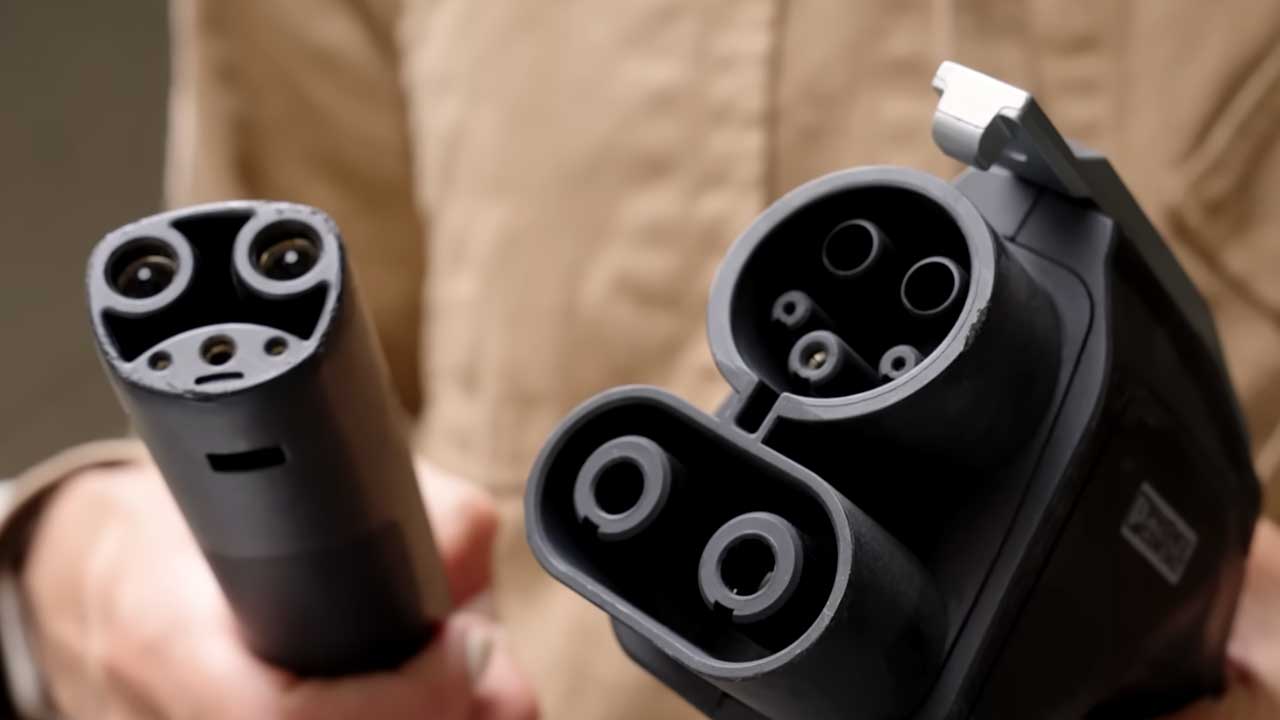
The single most common reason a charging station is not working is a loose or improperly seated connector. The EVSE detects "proximity pilot" and "control pilot" signals through the connector. If either pin makes intermittent contact, the station never starts. Unplug completely, visually inspect both the cable end and the vehicle port for debris or bent pins, then push the connector in until you feel or hear a firm click.
Pros
- Instant fix if it's the cause
- No cost or expertise required
- Works on all connector types
Cons
- Doesn't help if pins are bent or corroded
- Heavy DC cables require firm two-handed support
Dirt, dust, moisture, and road grime accumulate in the vehicle charge port and on the cable connector. Corroded or blackened terminals are a clear sign that contact resistance has increased enough to prevent proper communication. Use a dry, lint-free cloth or a small brush to clean contacts. Never spray liquids directly into the port.
Pros
- Resolves intermittent faults and "connector stuck" issues
- Prevents long-term damage
Cons
- Blackened contacts require professional replacement
- Not a fix if internal wiring is damaged
A completely dark EVSE almost always means no power at all - not a charger failure. Check whether other outlets or appliances on the same circuit are working. Use a non-contact voltage tester (available for around $15-20 / €14-18) to confirm 240 V is present at the EVSE outlet. If the outlet is live but the charger shows nothing, the unit itself may have a blown internal fuse.
Pros
- Instantly rules out the charger as the fault
- Simple test, no EV expertise needed
Cons
- If power is present but charger is dead, call an electrician
- 240 V testing requires caution
Fix 4-6: Electrical Panel & Circuit Breaker Issues
Level 2 home chargers draw 24-48 A continuously, which is demanding for a residential circuit. A single overload event will trip the breaker. Go to your electrical panel, find the 240 V double-pole breaker labeled for your EV charger, switch it fully off, pause 30 seconds, then switch it back on. If it trips again immediately, stop - do not reset again. Repeated tripping indicates a wiring or ground fault that needs a licensed electrician.
Pros
- Fixes ~15% of home charger failures instantly
- Free, 60 seconds of work
Cons
- Repeated tripping = dangerous wiring issue
- Never install a larger breaker on same gauge wire
This is the most overlooked cause of an apparently non-working home charger. Nearly all modern EVs and Level 2 smart chargers offer scheduled charging - letting you defer charging to off-peak, cheaper-rate hours (typically 10 PM-6 AM). If you or a previous driver set a timer, the EVSE will appear "on" but hold power until the scheduled time. Check both your car's infotainment system and the charger's companion app (ChargePoint, Enel X Way, JuiceNet, etc.).
Pros
- Instant resolution - usually one menu change
- Explains why the charger "worked yesterday"
Cons
- Easy to confuse with a hardware fault
- Timer may be set on either car or charger side
Level 1 chargers on shared 120 V / 15 A household circuits are especially prone to overloads. If your refrigerator, air conditioner, or other appliances share the same circuit, combined draw can exceed the breaker's rating. Most EVs allow you to manually reduce the onboard charger's current draw - check your owner's manual for the "Charge Current Limit" setting. CAA-Quebec recommends using 120 V outlets only for emergency / occasional top-ups, never as a primary charging solution.
Pros
- Stops nuisance breaker trips
- Protects wiring from heat damage
Cons
- Lower amps means slower charge
- Doesn't solve an undersized panel
Fix 7-9: Vehicle, BMS & Software Issues
Smart Level 2 chargers run embedded firmware - and like any computer, they can freeze or develop a software handshake error with the vehicle's BMS. Power-cycle the EVSE: switch off its dedicated circuit breaker, wait 60 seconds, switch back on. Separately, perform a "soft reboot" of your EV by turning it fully off (not just sleep mode), waiting 30 seconds, then restarting. According to Lectron EV field data (2025), 70%+ of software handshake errors clear after a 60-second power cycle.
Pros
- Clears firmware glitches instantly
- No cost, no expertise needed
Cons
- If issue returns within 10 minutes, suspect hardware
- Some EVSE firmware updates require overnight window
Every EV - regardless of its main traction battery size - also carries a conventional 12 V lead-acid auxiliary battery. This small battery powers low-voltage systems: door locks, infotainment, control modules, and critically, the BMS communication hardware. When the 12 V battery is dead or weak, your EV may not respond to any charger at all - it can't even begin the handshake. Jump-start or replace the 12 V battery first. This is especially common in freezing temperatures (below −20 °C / −4 °F) or after the car sits unused for 3+ weeks.
Pros
- Quick diagnosis - jump-start in under 5 min
- Cheap fix vs. assuming main pack failure
Cons
- Location of 12 V battery varies by model
- Not obvious to new EV owners that EVs have one
Over-the-air (OTA) software updates for EVs and smart chargers occasionally introduce new charging protocols that temporarily cause compatibility conflicts. Check your vehicle's settings for pending software updates. Separately, check your charger's companion app - brands like Wallbox, ChargePoint, and JuiceBox push firmware OTA, so your charger may have an update pending. Running mismatched firmware versions between the car and EVSE is a documented cause of failed sessions.
Pros
- Permanent fix, not just a workaround
- Free, delivered over Wi-Fi
Cons
- Updates may take 30-90 minutes
- Car must be parked, not charging, for some updates
Fix 10-12: Weather, Hardware & Last-Resort Steps
Lithium-ion batteries charge 20-40% more slowly at 0 °C (32 °F) and may refuse DC fast charging altogether below −10 °C (14 °F) to prevent permanent cell damage. This is normal BMS behavior, not a malfunction. The fix: keep your EV plugged into a Level 2 charger at all times in winter to maintain battery temperature. Many EVs support "battery preconditioning" - activating this via the app before departure warms the pack to 15-25 °C (59-77 °F), enabling full fast-charge speed.
Pros
- No hardware fix needed - behavioral change
- Preconditioning is free and built-in
Cons
- Preconditioning uses battery energy
- Adds planning time in winter road trips
The fastest diagnostic step is to try a different charging station. If your EV charges normally elsewhere, the original station is faulty - report it via PlugShare or the network's app. If the car still won't charge at multiple locations, the fault is in the vehicle. This simple step separates 95% of "station problem" from "car problem" cases in under 10 minutes. For home chargers, you can test by plugging into a neighbor's Level 2 or driving to any public Level 2.
Pros
- Definitive diagnosis in minutes
- Avoids unnecessary service calls
Cons
- Requires driving to another location
- Not practical if battery is critically low
If a power outage kills your home charger, the EVSE needs a full restart cycle after power is restored. Wait at least 30 minutes after power returns before attempting to charge - the system needs time to reconnect to the grid and reboot its internal electronics. For true emergencies, an inverter generator of at least 7,200 W (7.2 kW) can power a Level 2 charger, delivering roughly 30 km (19 mi) of range per hour. Costs for a suitable inverter generator range from $800-2,500 / €740-2,320. Note: standard generators are noisy - plan for 65-80 dB of noise outdoors.
Pros
- Maintains mobility during extended outages
- Level 1 portable cable is included with most EVs
Cons
- Generator is loud (65-80 dB) and costly
- V2H requires special bi-directional EVSE
What to Do When a Public Charging Station Is Not Working
Public charger failures have a completely different profile from home EVSE issues. Network connectivity, payment processing, and authentication add extra failure points. Here's a fast decision tree for public stations:
Public Charger Quick-Fix Steps
- Move to another stall on the same site first - often just one unit is down.
- Check the network app (ChargePoint, Tesla, Electrify America, Blink) for outage alerts.
- Check payment method - expired credit card or app timeout blocks many sessions.
- Use an RFID card instead of the app if cell signal is poor in a parking garage.
- Tap the charger's physical screen - some require a tap-to-wake before session start.
- Try a different network entirely (e.g., ChargePoint if Electrify America fails) to rule out vehicle-specific issues.
"If your car refuses to charge on one network repeatedly, try a competing network in the area. That two-minute detour tells you more than 20 minutes of troubleshooting."
Home vs. Public Charging Station Problems: Full Comparison
| Issue | Home Level 1 | Home Level 2 | Public Level 2 | DC Fast Charger | DIY Fix? | Call Pro? |
|---|---|---|---|---|---|---|
| Loose connector | ✓ Common | ✓ Common | ✓ Common | ✓ Common | ✓ Yes | ✗ No |
| Tripped breaker | ✓ Very common | ✓ Common | ⚠ Rare | ⚠ Rare | ✓ Reset once | ⚠ If repeats |
| Scheduled timer | ✓ Very common | ✓ Very common | ✗ N/A | ✗ N/A | ✓ Yes | ✗ No |
| Payment / network error | ✗ N/A | ✗ N/A | ✓ Very common | ✓ Very common | ✓ Yes | ✗ No |
| Cold weather slow charge | ✓ Common | ✓ Common | ✓ Common | ✓ Very common | ✓ Precondition | ✗ No |
| Dead 12V battery | ✓ Rare | ✓ Rare | ✓ Rare | ✓ Rare | ⚠ Jump-start | ⚠ Replace |
| Firmware/software glitch | ⚠ Rare | ✓ Common | ✓ Common | ✓ Common | ✓ Power-cycle | ⚠ If persists |
| Hardware failure | ⚠ Rare | ⚠ Rare | ⚠ Moderate | ⚠ Moderate | ✗ No | ✓ Yes |
The 12-Fix Master Troubleshooting Protocol
Run these steps in order. Stop when charging resumes. Each phase adds 2-5 minutes of diagnostic time.
Safety Check First (30 seconds)
If you smell burning, see smoke, or the breaker trips the instant you plug in - stop, disconnect safely, and call a licensed electrician. Do not troubleshoot further. Safety always wins.
Re-Seat the Connector (1 minute)
Unplug fully, inspect both ends for debris or bent pins, then firmly re-insert until you hear a click. Start a charging session. If lights turn green, you're done.
Check Scheduled Charging Timer (1 minute)
Open your car's infotainment and EVSE companion app. Disable or override any scheduled charge timer. If charging starts, reconfigure the timer to match your routine.
Reset the Circuit Breaker - Once (2 minutes)
Switch the EVSE breaker fully off for 30 seconds, then back on. If it holds and charging starts, you're set. If it trips again, stop and call an electrician.
Power-Cycle the EVSE and Vehicle (3 minutes)
Switch off the EVSE at the breaker for 60 seconds. Fully power off the vehicle for 30 seconds. Restart both, then attempt charging again.
What Experts Say About EV Charging Station Reliability
"The number-one mistake EV owners make is assuming a charging failure means their battery or car is broken. In 80% of cases, it's an infrastructure issue that takes under five minutes to solve."
"Charging reliability is the top infrastructure challenge we're tracking for 2025-2026. The good news: most station failures are software or connectivity issues - fixable remotely, without rolling a truck."
"Don't skip the 12-volt battery when diagnosing a completely unresponsive EV. We see this constantly in winter service calls - the main battery is perfect, but the 12V is dead and the car can't talk to anything."
Research from McKinsey & Company's 2025 EV Consumer Sentiment Survey found that 42% of EV shoppers who delayed purchase cited public charger reliability as the primary reason - underscoring why understanding and resolving charging failures matters for the entire industry, not just individual drivers.
Preventive Maintenance: How to Keep Your Charging Station Working
Most charging station failures are preventable with simple monthly habits. Data from Electrly's maintenance study (2025) shows that EV owners who perform monthly cable and port inspections report 68% fewer charging failures than those who don't.
Monthly Maintenance Checklist
- Visually inspect the full cable length for cracks, kinks, or fraying
- Check connector pins for corrosion or blackening; clean gently with dry cloth
- Never drop the charging connector on the ground - causes internal pin damage
- Store cable on a proper holder - don't coil tightly or slam in garage doors
- Keep charger firmware updated via the companion app
- Test charging every week - don't discover a fault when your battery is at 5%
- In winter, leave EV plugged in overnight to maintain battery thermal management
Home Level 2 charger installation typically costs $400-1,200 / €370-1,110 including hardware and a licensed electrician. Quality brands like ChargePoint Home Flex (~$699 / €648), Enel X JuiceBox 48 (~$699 / €648), and Wallbox Pulsar Plus (~$649 / €601) all include companion apps with real-time diagnostics that flag problems before they cause a session failure.
FAQ: Charging Station Not Working
- Why is my EV plugged in but not charging?
The most common reasons are: a scheduled charging timer is delaying the session, the connector isn't fully seated, a circuit breaker has tripped, or the car and charger have a software handshake error. Start by checking the scheduled timer in both your car's settings and the charger's app - this resolves the majority of "plugged in but not charging" cases. Then try unplugging and firmly re-seating the connector.
- How do I reset my home EV charger?
To reset a home Level 2 EVSE: go to your electrical panel, locate the 240 V double-pole breaker labeled for your EV charger, switch it fully to the OFF position, wait 60 seconds, then switch it back ON. For smart chargers, you can also perform a reset through the companion app. Only reset once - if the breaker trips again immediately after resetting, stop and call a licensed electrician.
- Why does my EV charge slowly or stop at 80%?
Slowing above 80% state of charge is intentional - your Battery Management System (BMS) throttles current to protect cell longevity. This is normal behavior, not a malfunction. Additionally, cold weather significantly slows charging: at 0 °C (32 °F), lithium-ion cells accept 20-40% less current than at 20 °C (68 °F). If you're seeing slow charging at moderate temperatures and below 80% charge, inspect the cable, check the EVSE firmware, and verify you're not on a shared/overloaded circuit.
- Why does my circuit breaker keep tripping when I charge my EV?
Repeated breaker trips during EV charging usually mean one of three things: (1) the circuit is shared with other high-draw appliances and is overloaded, (2) the wiring gauge is undersized for the charger's current draw, or (3) there is a ground fault in the EVSE or wiring. Never "fix" a tripping breaker by installing a larger one on the same wires - this is a fire hazard. Reduce the charger's current setting in your vehicle or EVSE app as a temporary fix, then have a licensed electrician assess the installation.
- What should I do if a public charging station won't start?
For public stations: first, move to a different stall on the same site. Many networks have one or two units out of service at any time. Check the network's app for outage alerts. If payment is failing, try a tap-to-pay physical credit card or an RFID card instead of the app - poor cell signal in parking garages frequently kills app-based sessions. If a second stall on the same site also fails but your car charges normally elsewhere, report the station via PlugShare.
- Can cold weather break my EV charger?
Cold weather doesn't break the charger, but it severely limits what the Battery Management System will allow. Below −10 °C (14 °F), many EVs will refuse DC fast charging entirely to prevent lithium plating - a form of permanent battery damage. The fix is to pre-condition the battery (use the car app 30-45 minutes before charging) and keep the car plugged into a Level 2 charger overnight so the thermal management system maintains battery temperature. An outdoor Level 2 charger with a cold-weather rated flexible cable (rated to −40 °C / −40 °F) is essential if you park outside in northern climates.
- When should I call a professional for an EV charger problem?
Call a licensed electrician when: the circuit breaker trips more than once, you see burn marks or smell burning plastic around the outlet or EVSE, the EVSE is completely dead despite confirmed power at the outlet, or you notice the cable's insulating sheath is cracked or melted. Never open a charger unit yourself - EVSEs operate at 240 V AC and can carry lethal voltage even when "off." Hardware failure accounts for only about 4% of charging issues, but those 4% genuinely require professional service.
- Can I use a generator to charge my EV during a power outage?
Yes, with important caveats. Use only an inverter generator rated at 7,200 W (7.2 kW) or more. A standard (non-inverter) generator produces "dirty" AC power that can damage sensitive electronics inside the EVSE and vehicle charger. Inverter generators produce clean sine-wave AC. Expect about 30 km (19 mi) of range per hour at Level 2 speeds, or 8 km (5 mi) per hour if using the car's included Level 1 portable cable. Generator costs range from $800-2,500 / €740-2,320 for a suitable model. Note that the vehicle's built-in 120 V extension cord is already grounded, so no additional resistor is needed for Level 1 emergency charging.
Next Steps: Get Charging Again
Most charging station problems are solved in under five minutes with the steps in this guide. The key is working through them methodically rather than assuming the worst. Remember: 80% of failures have a DIY fix, and only about 4% of cases actually need a hardware technician.
Use this implementation timeline to get your charging situation locked in for the rest of 2025:
Sources & References
- J.D. Power, 2025 U.S. Electric Vehicle Experience Study, Troy, MI, 2025.
- Lectron EV, Essential EV Charger Troubleshooting: Quick Fixes for Common Issues, October 2025.
- Recharged.com, Electric Car Won't Charge: Troubleshooting Guide 2025, February 2026.
- CAA-Quebec, EV Charging Stations: 6 Common Problems Solved, August 2025.
- Wiretech Company, Why Is My EV Charger Not Working?, September 2025.
- McKinsey & Company, 2025 EV Consumer Sentiment Survey, March 2025.
- Electrly, EV Charging Maintenance Study, 2025.
- ioCharger, EV Charger Troubleshooting: Common Issues & How to Fix Them, November 2025.
- YoCharge, Troubleshooting Common EV Charging Issues, June 2025.
- AAA, EV Technical Bulletin: 12V Battery Failures in Electric Vehicles, January 2026.